
Account & Pro
Sign in, upgrade, manage your subscription, and see what Pro actually unlocks.
Video walkthrough on the way
This topic's video is in production. The written guide below covers everything for now.
Free QHuman is a complete autoclicker for most tasks. Pro lifts the caps and unlocks direct input, which is handy for games and apps that resist standard input. You don't need an account to use Free.
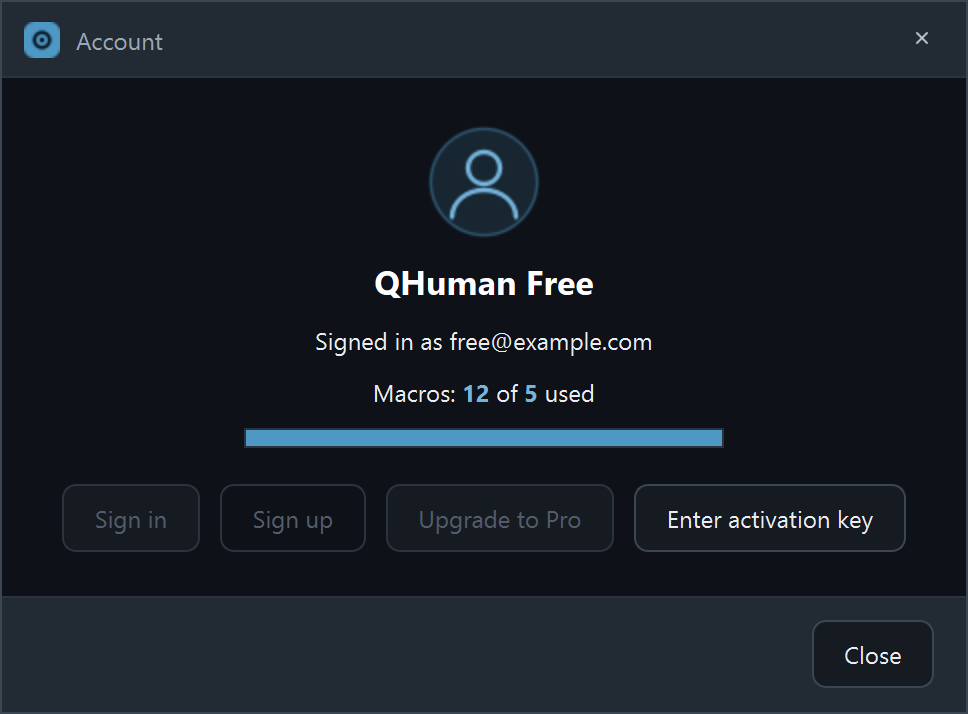
Sign in or create an account
Click the Account button on the right-edge nav rail. The dialog offers sign-in (OAuth via your browser) and account creation. Free macros stay yours either way. Signing in just unlocks Pro features once you upgrade, and lets you use the same Pro entitlement across machines.
Upgrade to Pro
From the Account dialog, hit Upgrade to Pro. A Stripe checkout opens in your browser. Once payment clears, the app picks up the entitlement automatically. No restart needed.
Manage your subscription
The Account dialog for signed-in Pro users shows a Manage subscription button that opens Stripe's billing portal, where you can change payment method, view invoices, or cancel. There's also a Get activation key button for offline use.
Use an activation key (offline)
If a machine can't sign in (locked-down network, no browser), use an activation key. Generate one from the billing portal or the Account dialog on a connected machine, then paste it into Enter activation key on the offline machine. The key is signed; no network call needed to validate.
What Pro unlocks
- Unlimited macros (Free is 5).
- Unlimited playlists (Free is 1).
- Unlimited chained macros per chain (Free chains one other macro).
- Direct input - sends mouse and keyboard via the Windows SendInput API instead of pynput. See below.
Free-tier limits
Free gives you 5 saved macros, 1 playlist, and a 1-macro chain. Hit the cap and QHuman shows a friendly dialog with the upgrade path. Detection, hotkeys, all recording modes, and all loop options are fully available on Free. Pro just lifts the count caps and adds direct input.
Enable direct input
Pro-only. Open Settings → Playback; check Direct input - Mouse and / or Direct input - Keyboard. The toggles are greyed-out for Free users with a "sign in or upgrade" hint.
When direct input helps
QHuman normally sends input via pynput, which works for the vast majority of Windows apps. Some apps (full-screen games, anti-cheat-aware launchers, certain remote-desktop sessions) only listen to the lower-level Windows SendInput path. Direct input switches QHuman to that path and reaches those apps.
Apps where direct input wins
Common patterns: full-screen DirectX / Vulkan games, games with anti-cheat-aware input filters, remote-desktop clients that forward only SendInput. If a macro plays fine on the desktop but does nothing inside a specific app, direct input is the first thing to try.
Stuck on a step?
Ask in the Discord, post on r/QHuman, or email support. Happy to help.