
Custom hotkeys
Two layers of hotkeys: the global Record/Play/Stop, and per-macro bindings.
Video walkthrough on the way
This topic's video is in production. The written guide below covers everything for now.
QHuman has two hotkey layers. Global hotkeys (Record, Play, Stop) live in Settings and always trigger the toolbar buttons. Per-macro hotkeys live on each macro's Hotkey tab and play that specific macro from anywhere. Both work while QHuman is minimised.
Default hotkeys at a glance
Record is Ctrl+F9, Play is Ctrl+F10, Stop is Ctrl+Alt+S. All three are global; they fire even when QHuman isn't the focused window.
Change the global Record/Play/Stop
- Open SettingsClick Settings on the right-edge nav rail, or press Ctrl,.
- Switch to the Hotkeys tabThree fields: Record, Play, Stop.
- Set the combinationsClick into a field and press the combo. Ctrl, Shift, and Alt modifiers are supported. Make Stop something you can hit fast, though the fail-safe corner is always there as a backup.
Bind a hotkey to one macro
- Select the macroClick it in the left list. The right-pane editor loads its sub-sequences.
- Open the Hotkey tabIn the right pane, alongside Playback, Detection, Chain.
- Capture a comboClick the capture field and press the combo. Esc cancels; Delete clears.
- Pick a run modeSee the next section.
- ApplyThe binding is live immediately. No restart needed.
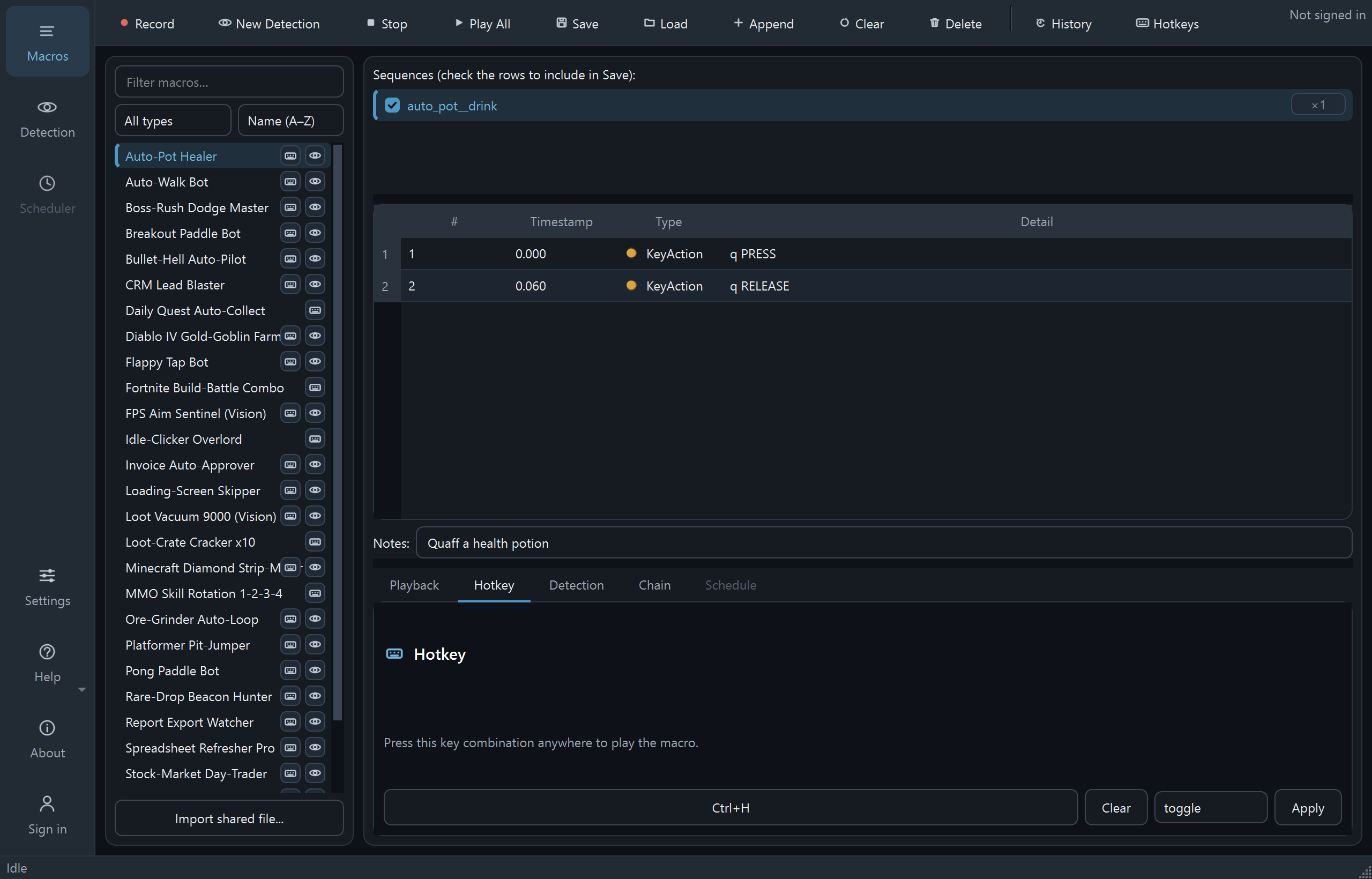
Run modes: press, while-held, toggle
Three behaviors per binding:
- press_release - press once, macro plays once. The default.
- while_held - macro plays while the key is down; stops on release. Good for burst-fire patterns.
- toggle - first press starts, second press stops. Good for "run this loop until I'm done."
The central Hotkeys overview
The Hotkeys button on the toolbar opens a dashboard with two tabs. All hotkeys is a searchable table of every binding, both macros and playlists. Playlists is where you create, edit, and delete playlists, the named ordered groups of macros that play under one hotkey.
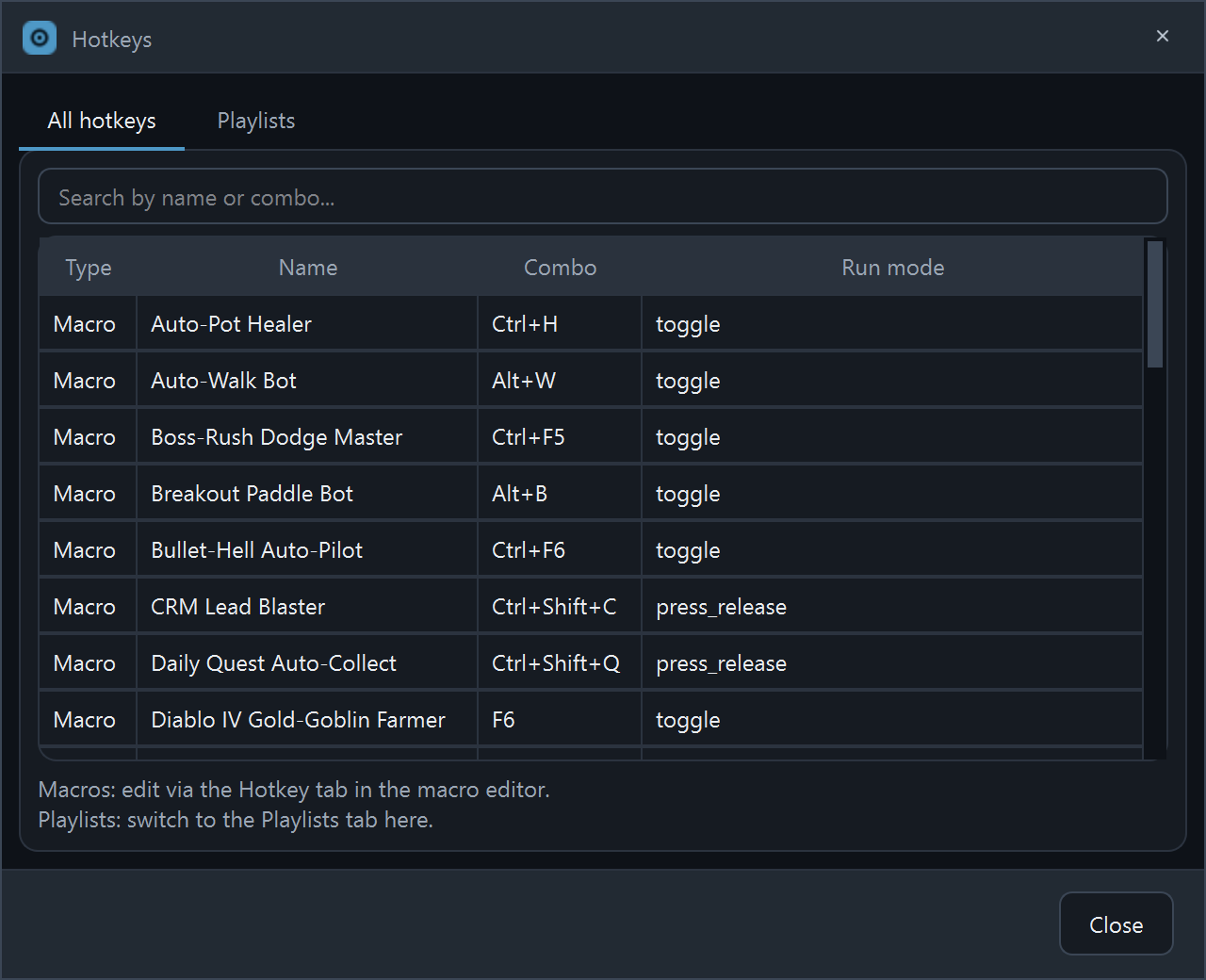
To edit a binding, the dashboard points you back to that macro's Hotkey tab; the per-macro panel is the single source of truth.
Resolving hotkey conflicts
Heads-up: a per-macro hotkey doesn't block the key. The press still reaches whatever app is focused, so pick a combo that does nothing in the app you'll be using, or clear the binding when you don't need it.
If a per-macro hotkey duplicates one already bound to another macro, QHuman warns you before saving and points at the conflicting entry; otherwise pressing it would fire every match at once. Change the combo, or clear the conflicting binding first. (The global Record / Play / Stop hotkeys in Settings aren't conflict-checked, so choose those carefully.)
Stuck on a step?
Ask in the Discord, post on r/QHuman, or email support. Happy to help.